
Product: Radiant FID
Version: 7.3
Purpose: How to exclude and not install the example/samples data and virtual views when installing Radiant FID 7.3
Procedure: Follow the below process during Installation:
1. In the 'Choose install' set step, select 'Custom Installation' >> Next
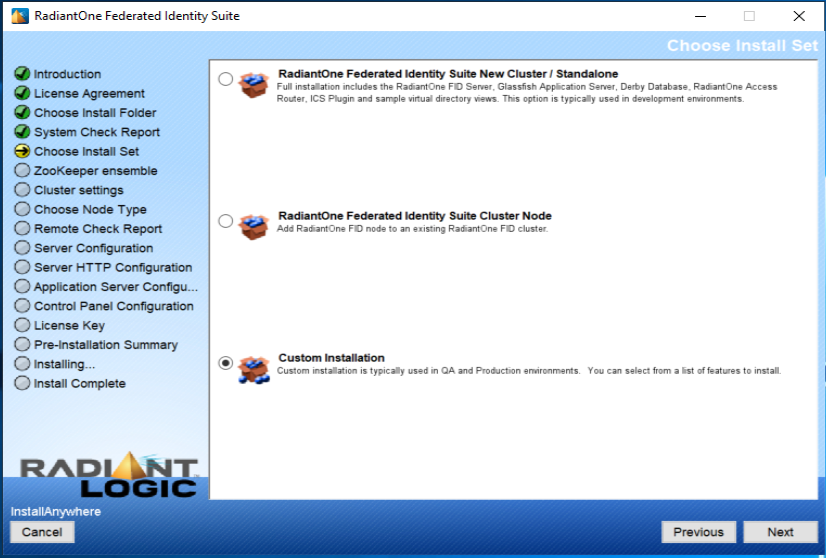
2. Select 'RadiantOne Federated Identity Suite New Cluster/Standalone' or 'RadiantOne Federated Identity Suite Cluster Node' (Whichever is applicable) from the drop-down
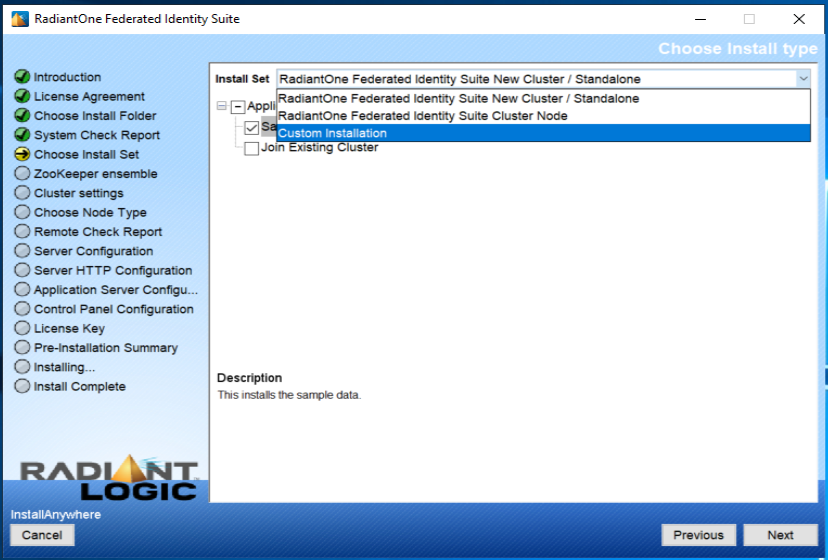
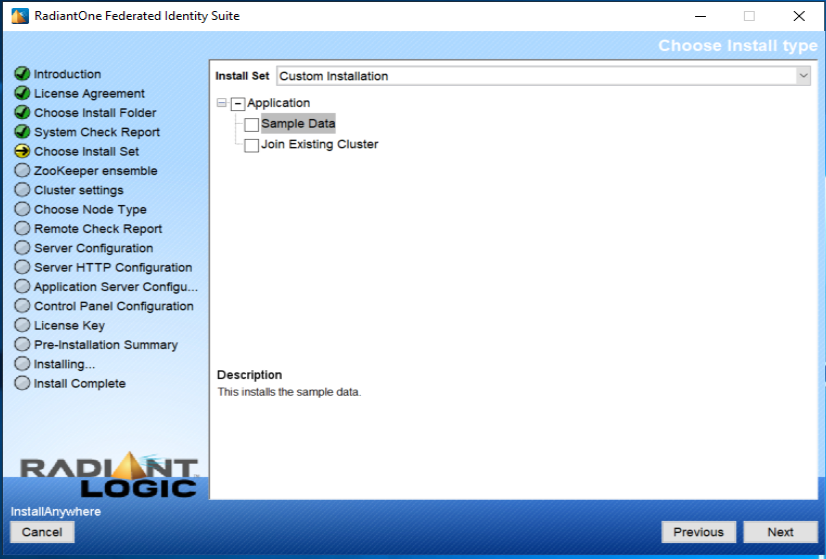
3. Uncheck 'Sample Data'.
Comments
Please sign in to leave a comment.